
Taking a Train in Italy, instead of a plane, is currently more and more an option for more and more travellers. Sustainability is one factor, as well as having more time to relax, instead of having to actively steer a vehicle for me, Italy is an ideal train-travel country. There are high-speed trains, but there are also train connections to the most idyllic resorts, although not quite as fast as the italo high-speed train. Otherwise, even buses will get you to the final destination. Not only the connections within Italy but also from abroad, such as Switzerland, Austria or Germany, there are numerous daily or weekly connections directly to Bella Italia.
In short: Three apps make train travel in Italy easier: “Italian train timetable” for live delays, “Trenitalia” for regional and fast trains and tickets, and “Italo Treno” for Italo high-speed trains.
To help you get the most out of your upcoming train travels in Italy and to know if the carriage is on time or not, I have summarized a list of apps that I personally use for my train travel in Italy. I really don’t want to travel without them, especially with the language barrier, if you speak only a little Italian, as the Italians often only very broken English. Just in case, to find out if the train is on time or just to quickly buy a ticket if the queues at the station are way too long. Those apps for train travel in Italy will keep you sane and prepared.

I simply cannot move without these practical smartphone apps, when traveling by train in Italy
App “Italian train timetable”
This app is mainly used to check if trains are on time. Or, of course, to select possible connections. This app shows even the small regional trains, where they are currently located, and therefore also whether the arrival at the departure or arrival station is on time. I already used this app on my first RailTrip in Italy in 2015, and already back then the displayed times have always been extremely accurate – great!
In the meantime, there is now also a “Pro” version of the app. The Pro version also contains widgets, map material, notifications and much more … So, if you’re travelling in Italy often, even in different cities, this feature might be worth it for you.
Show in Google Play Store
App “Trenitalia”
This is the app of the Italian train company of the same name, Trenitalia. They perate regional trains Regional and Regional Veloce, as well as the high-speed trains Frecciarossa and Frecciargento, as well as FrecciaBianca, InterCity, EuroCity trains. Through this app you can find timetables for all connections operated by Trenitalia, as well as the possibility to buy tickets directly online.
Show in Google Play Store
App “Italo Treno”
Italo Treno is the app of the Italian provider of high-speed trains Italo. These connect the metropolises of Italy, in incredible travel times. So, you can travel environmental friendly from Milan to Rome in just 2:46 hours, or from Bologna to Florence in just 39 minutes. For tickets and timetable information, install the Italo Treno app – so you can then show the QR code with your ticket on the train and enjoy the ride.
Show in Google Play Store
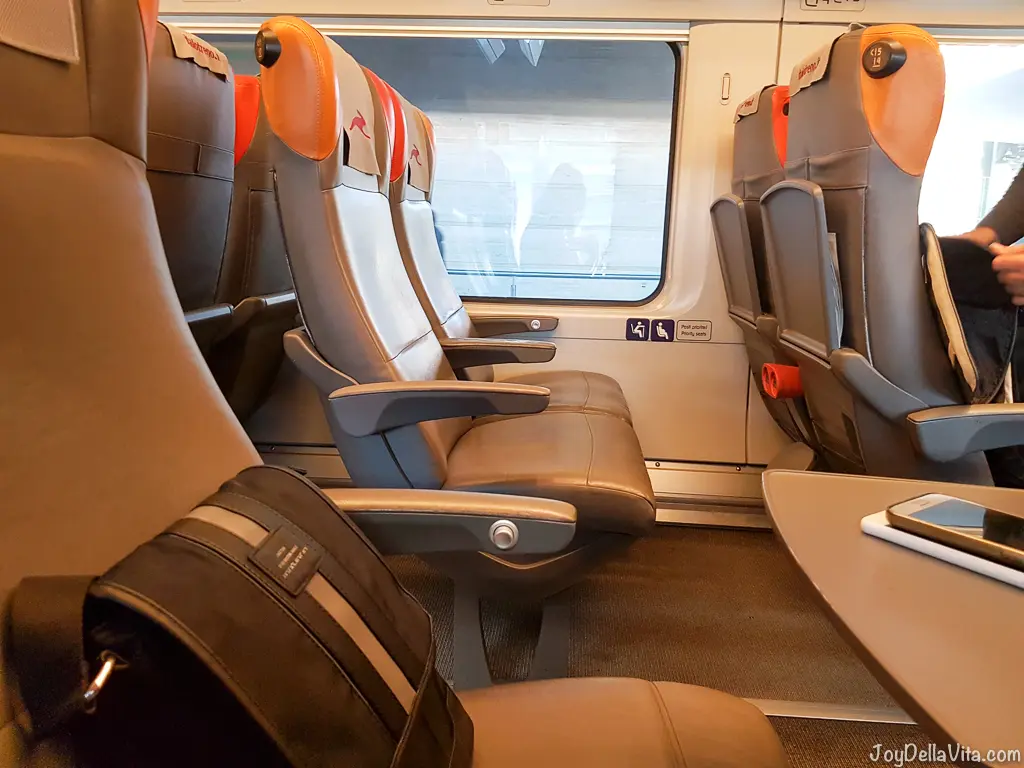
picture via italo Train from Rome to Naples
More train travel tips
More train tips: undefined“>what children pay on Italian trains, undefined“>how to get to Pontedera and the undefined“>Trenitalia connection from Zurich to Milan. All posts are in the undefined“>Train Travel category.
Frequently asked questions
Which apps do you need for train travel in Italy?
I use “Italian train timetable” to check delays, the Trenitalia app for timetables and tickets and the Italo Treno app for Italo high-speed trains.
Can you buy train tickets in the app?
Yes. In the Trenitalia and Italo apps you can buy tickets directly. For Italo you show the QR code on the train.
Does the Italian train timetable app show delays?
Yes, it shows even small regional trains, where they currently are and whether they are on time.
How long does Milan to Rome take on Italo?
About 2 hours 46 minutes on the Italo high-speed train.









Leave a Reply